
How I use up two Claude Max subscriptions per week

Several people have asked how on earth is it possible to use up all the weekly credits from one Claude Max 220€ subscription, not to mention two of them. It's about building a factory that spends tokens for you, so here's a story about not only how it's possible, but also why it makes sense. Hopefully you'll gain some new ideas on how to take the most of your weekly tokens.
Why should you care?
If you don't need convincing, feel free to skip to the next part. But this is an analogy I always think about - strategy games, namely Age of Empires.
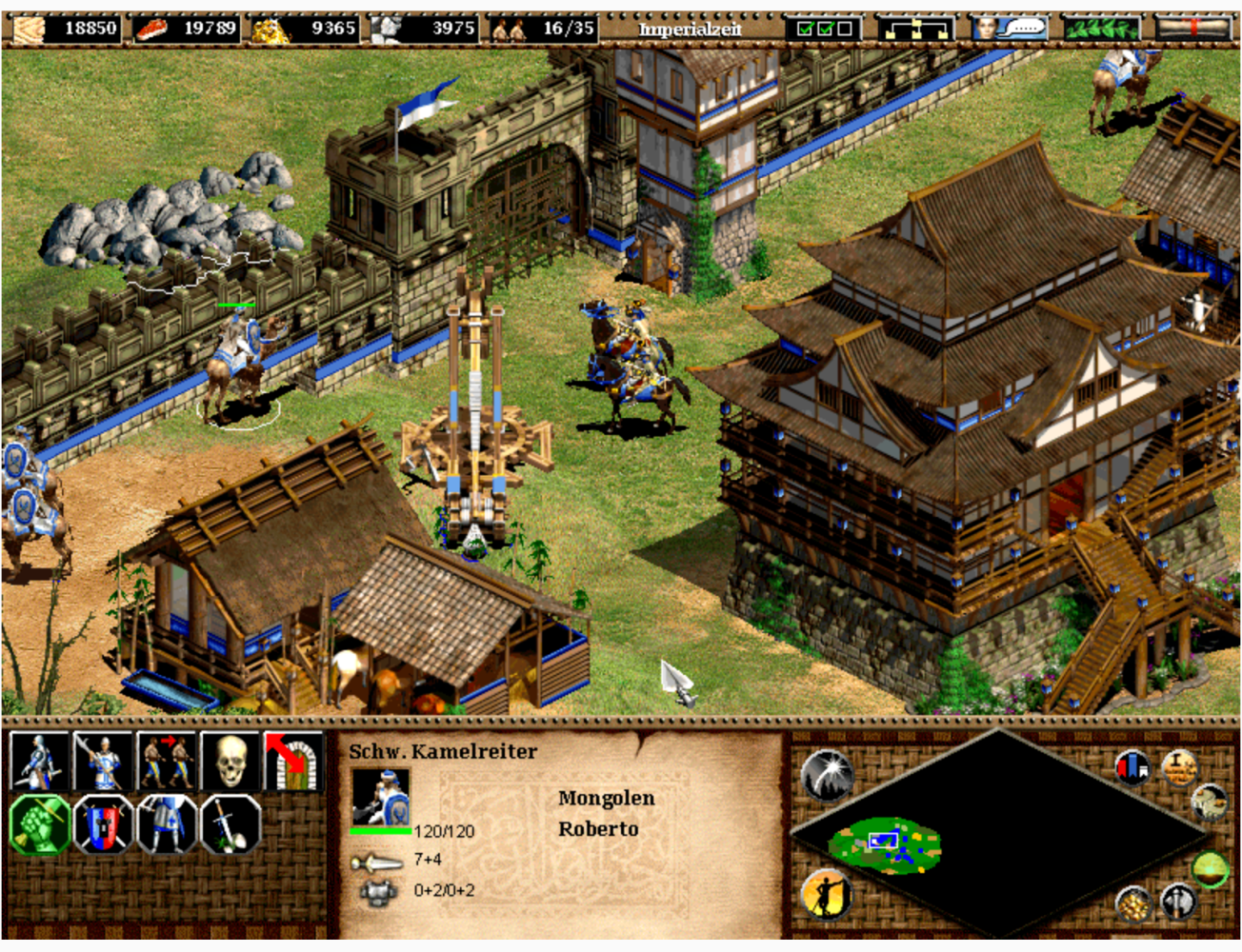
In AOE you have villagers who collect resources, like wood, food, stone. You spend these on buildings, technology, warships and soldiers. Two rules separate good players from great ones:
- Thou shalt not let villagers idle. An idle villager is growth you're leaving on the table. Not creating new ones means your capacity to grow isn't growing.
- Thou shalt not hoard resources. Having 18,000 wood lying around is a huge waste. If you can't spend it fast enough, it signals that you haven't built enough factories for warships or trebuchets.
So it's a virtuous cycle: force yourself to grow big, then force yourself to spend what you are producing, to grow even more.
Where's the analogy? Every week your wood, stone, food and gold is reset to 50,000 by your Claude subscription. Every resource you have remaining just before the reset means a Siege Workshop, Warship or a villager you did not build.

Luckily, nowadays you don't need to do the building yourself, so it's mostly about building the harness, workflow and infrastructure that does the building – in other words, it's about expanding your dark software factory so it can make the most of your subscription.
Hit your weekly limit? Great job, time to upgrade your plan and force your factory to grow. Far from hitting it? You're probably doing the building instead of your factory. This might be fine too, don't get me wrong. But chances are, you want to expand your factory, so read on.
Executing work
My previous article went into depths about how it's quite efficient to split up your work process into creating the work and then executing the work. They are totally different jobs, both for me and for the agent, and I rely on Github Issues to be the interface between two jobs.
I mostly only rely on my /fix-issues skill, which will fetch all open issues from Github and complete them in parallel. If you combine that with tmux, you get this nice UI layout that shows your virtual team working. It looks cool, but I suggest not to micro-manage them too much as your job is not to be their manager, but the factory architect.
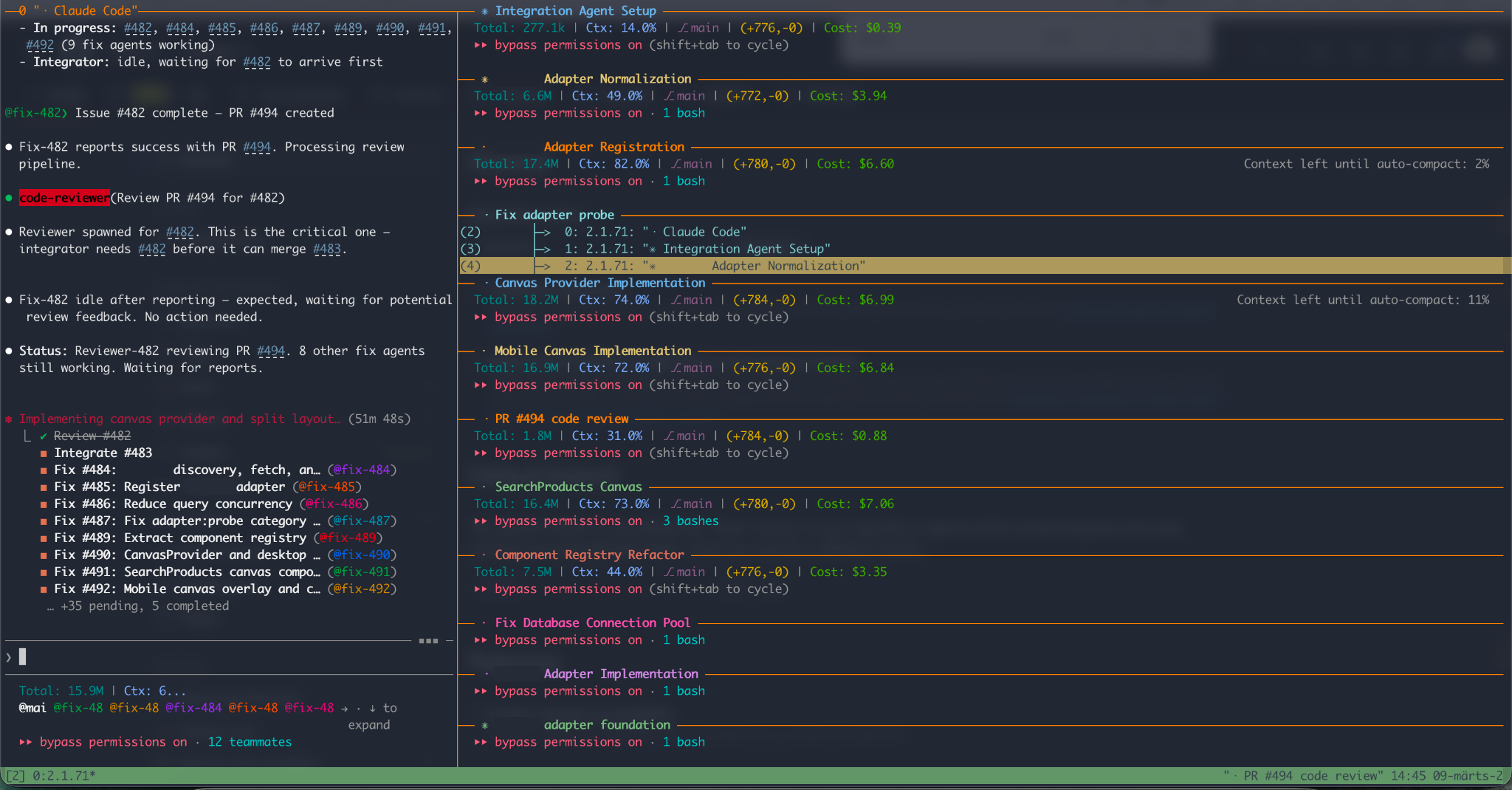
This is my main destroyer of tokens. Whenever I leave my laptop for at least some hours, I run this command (check my previous article if you'd like to read more on that).
The key advantage with this method is that it does the work in temp folders in parallel and keeps my local repo clean. Once you start using your main checkout for changing code, you are creating a bottleneck. I still do it occasionally, but only for heavily sequential work where I need to be involved in validating the results.
But, you might ask, what on earth are all these Github issues that need resolving? How do you come up with dozens of tickets per day?
Creating work
The bottleneck in most AI-assisted workflows isn't execution, it's having a well-defined backlog. Here's how I keep mine full.
Basic planning
I use the plan mode a lot. Plan mode ends up in a much more complete feature than just letting Claude Code do changes on the go. I usually have 3-4 terminal tabs open with plans in various stages.
As soon as I'm happy with a plan I hit Enter to start work, but instead of completing the work right there and now, I hit Esc to stop Claude and then run my /github-issue-create skill.
This skill finds the plan from a file or context and then:
- Checks if similar issues already exist, if yes, then cross-links them
- Splits up the work to multiple tickets if needed, creates dependencies
- Reviews that tickets have realistic validation criteria
- Then creates all the issues in Github
Re-planning
Often, if I'm not convinced that we've reached a perfect-enough plan, I fire up a new Claude and run /improve-plan <path of the plan file>. This will be a new Claude instance with empty context and it will often find serious problems and more elegant solutions.
The plan improvement skill asks Claude to find missed gotchas, validate facts and what I like the most - ask it "is there a more elegant way to do it"?
Quick-planning
I'm sooo happy I invented this one, really enjoy using it. We all know the bar for doing any work has already lowered so much, we finally get to do (let Claude do) all the low priority tasks we never had time for.
Well, I noticed some tasks are still below my threshold for wanting to go through the Plan cycle. A misaligned icon or a typo can still not be worth even the 2 minutes of planning.
This is exactly what /quick-plan solves. I just type /quick-plan, then dictate (I use WisprSync) my quick bug report and press enter. This skill:
- Enters plan mode and writes a plan for solving the problem
- Executes my
/github-issue-createto create a Github issue with this plan
I later come back and just close the tab. The issue will be fixed during my next /fix-issues run.
The Sentry sub-factory
I've used Sentry for error tracking my entire life and always hated the part of going through dozens of maybe-related error reports. I don't go to Sentry anymore. I just run /sentry-triage and this skill will:
- Fetch all open Sentry issues
- Resolve all issues that should already be fixed (checking linked Github issues and deployments)
- Group all remaining open issues into what seem to be the common root causes and ask which group to tackle
- We go through root cause analysis and planning. The skill also asks Claude to ask the 5 whys to get to the actual root cause
- After we're happy with the plan, it invokes the
/github-issue-createskill to create the ticket - Then it merges all related Sentry issues to one, cross links with Github issue both ways, and assigns the ticket to me (so it will be skipped next time I run the skill).
Then I close the tab and run the skill again. I usually have it running in the background until Sentry is clean.
Claude as a system dashboard
I've noticed that Claude can very easily be used as a replacement for a system dashboard. Examples:
- "I've started this long-running process in prod. Monitor system metrics until it finishes and propose what we can change in resources and limits."
/ship --monitor: A skill I use if I'm doing a risky deployment. It will push all work and keep monitoring CI/CD until it finishes successfully.- "Check the latency of our APIs, what are problematic?"
Factory audit: Auditing your spec-driven development
If you are doing spec driven development, you want your specs to be the source of truth and need to work surprisingly hard to avoid spec drift (e.g. Claude implementing changes only in code, not specs). The main tools I have for avoiding spec drift are:
- Using runnable spec format that means your specs are your e2e tests (more on that in this article on Gauge)
- Enforcing Domain-Driven-Design (DDD) on filesystem level, so Claude knows what docs, specs and code go together and should change together.
But this is sadly not enough. This is where my /audit-specs skill comes to play. It does a 2-way blind comparison of code vs specs and then resolves the differences with human help. This is how it works:
- First it finds a list of domains (if you're lucky, it's the simply the list of folder names in your "domains" folder)
- Launches Code Reader subagents for each domain. Every agent will only read code (*.ts and *.tsx files). It will write down, in detailed prose, how the code behaves, what are the edge cases etc.
- Launches Spec Reader subagents for each domain. They go through the runnable Gauge specs and rest of the documentation and summarize behaviour in the same way. Spec reader only ever looks at markdown files.
- Once all readers are done, it launches a Differ agent for each domain. Differ agent will be passed reports from Code reader and Spec reader and it will try to find differences.
- The main agent summarizes most significant differences and ask human help if it's not clearly obvious which behavior (code or spec) is correct. It uses the AskUserQuestion tool (the UX that Plan mode uses) to go through each question.
- It ends up with 20-30 suggestions for fixes and runs
/github-issue-createto create tickets. Some will be only docs fixes, some will be code changes
The key here is to use different Claude instances do their own investigation and then compare the results. Clear context means fewer blindspots and better objective results.
The second key is to not start fixing the issues immediately, but to use Github Issues as a buffer, so each issue will get full attention of one agent.
Find systemic problems
You would probably not tell a human to "Go through last 30 bugfixes we've made and see if there are systemic improvements we could make to avoid some class of errors in the future".
But today – with your fancy Claude subscription, is there really a reason this task is not currently running in background right now? Try it right now!
Improving and monitoring long-running skills
The /fix-issues skill is the one that does all the work, so it better be good. How to make sure it behaves well and is as efficient as possible? Well, I just run the /fix-issues-monitor skill at the same time. This skill:
- Monitors all the dozens of agents during the multi-hour fix session. Agents write transcripts to filesystem, so they are easy to monitor.
- Reads agent's transcripts, finds where they get confused, where they don't follow rules etc
- When the run is done, summarizes main stats, problems and improvement ideas. I usually just say "solve top 3 issues" and my skill is improved.
Lock Claude in a loop
Tasks that have deterministically verifiable outcomes, like say scoring code quality, are an awesome way to spend tokens on something meaningful. This is similar to Ralph Loop method, but works very well in pre-commit or pre-push hooks as well. Claude will be imprisoned (unable to commit or push) until it has fixed the violations.
Just install a tool that measures code quality (I use Qlty) and ask Claude to create a skill that:
- Runs this command repeatedly
- On every run launches 10 subagents to fix top 10 issues
- Iterate until score or number of issues is < X
Your choice if you want to solve them now or create tickets for later.
I've personally found that problems of code similarity and function complexity are most common offenders with Claude, and they are very easy to detect and fix with such tools, before they start causing problems.
Code review
And finally, good old code reviews are an awesome way to burn tokens. I've moved my review process to Github Pull Requests, so this is what /fix-issues does for each issue it is addressing.
- Fix agent completes work, pushes code and makes a PR
- Review agent starts in the same local folder, reviews code and adds comments to the PR. It also runs all the validation steps (written in the PR) itself to make sure Fix agent is not lying about running them. It's amazing how often it lies about completing a mandatory step.
- Review agent gives a formal approval or "changes needed" in the PR
- Main agent resurrects Fix agent and asks it to address comments. This cycle continues until PR is approved.
We are nowhere near the world where the work of one agent is trustworthy enough to not review it. So a good automated code review workflow is a very necessary part of any software factory.
Summary
I did not share any of the skills I mentioned here on purpose. It's not that they are secret, it's because I have not read most of them. Most of them I created by giving 2 sentences of input, running it and iterating couple of times until I'm happy. I'm not a strong believer in sharing skills. Creating them is so easy and they are so nuanced to your specific needs that taking somebody else's 600 lines of text and pasting it into your workflow might not be what you want.
So I hope this post will inspire at least one person to open up claude, ask it to create a skill to either automate away the boring parts of your work, raise your code quality or ship features better and faster.
(This post was originally posted on LinkedIn)
