
How 32 agents write code for me in parallel, with vanilla Claude Code
I made a pretty good breakthrough recently that often truly feels like 30x improved efficiency. Last time I wrote about arriving at a new bottleneck, which was a lack of a convenient way to parallelize work on the same codebase. Well, I seem to have found it!
The key for me was to decouple task creation phase from task solving phase, so I can run both in batches. I discovered that a perfect medium for tracking work is the Github Issues feature that Claude can very conveniently use with the gh CLI tool. It removes the problem of managing markdown files in filesystem across sessions.
So in simple terms, the workflow is like this:
- Do human work - which is mainly creating and reviewing plans, in plan mode, in parallel terminal windows. Whenever I'm satisfied with the plan, I say "create github issue". If it's a complex task, it might create 5 tasks with dependencies.
- Do agent work - Couple of times per day I run my
/fix-issuesskill that completes all this work in parallel - After some hours I come back and discover that quite a sizeable software launch has happened with multiple big features released. I take time to go over it, see how it feels and down new ideas, which feeds back to the first point.
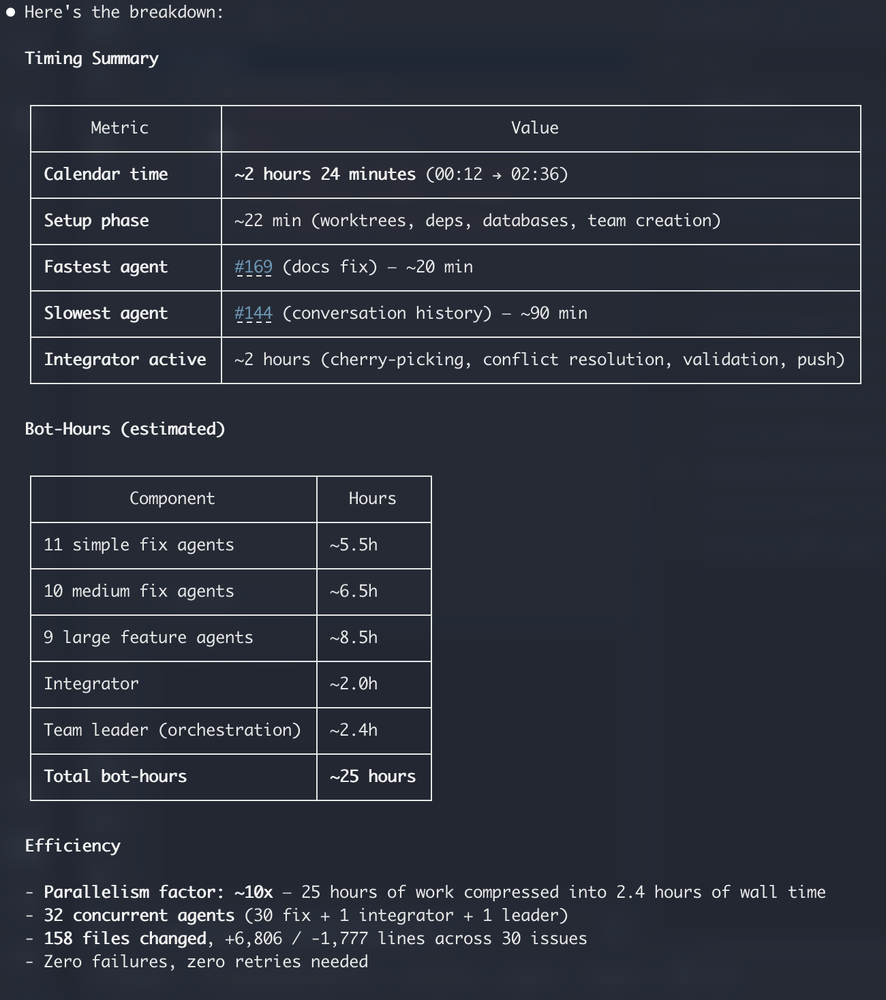
I end up with the report like this. This example shows 25 hours of agent time done in 2.5h. This is 3 workdays of agent time, so more like 30 days of human work. Done in 2.5h. You can bet I'm excited to see what was released.
Where's the catch?
I'm yet to find out what's the catch. It works well and makes sense - this is how it should work. Factories work by work segregation and specialization, so this is also how dark factories (the last level of AI autonomy, today) work. It seems that the key is to let go of the idea that your working folder with the git checkout is where the work happens. This is now exclusively for running plan creation. Plan mode has read-only access and works well in parallel on the same folder.
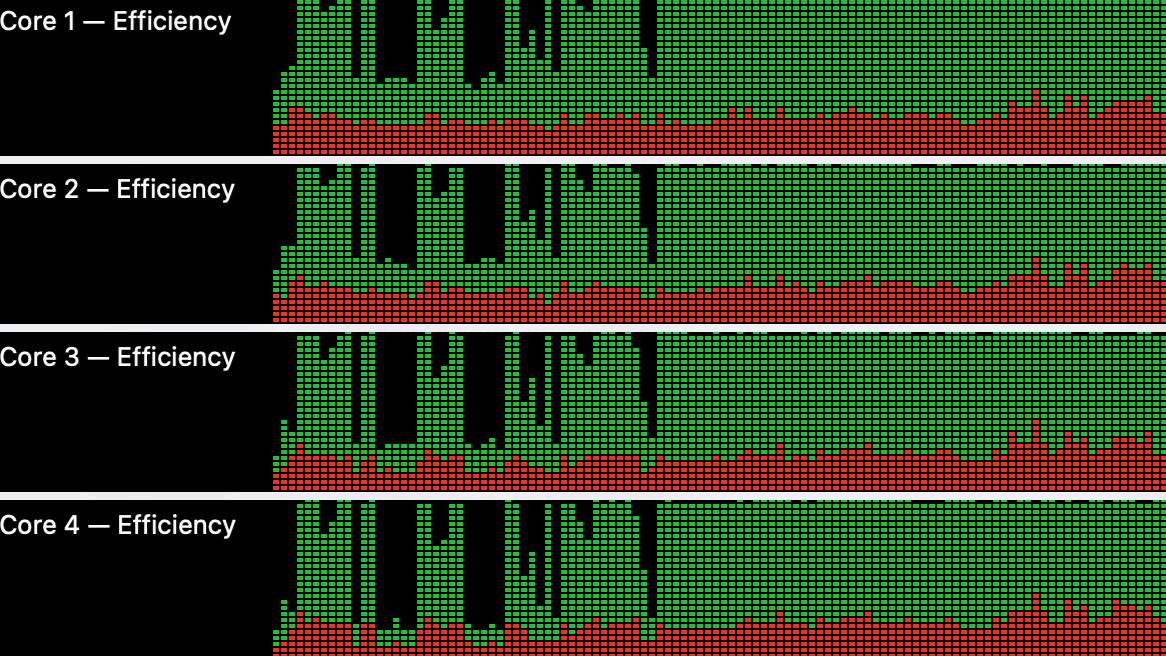
Of course this will clog up your CPU for a while. I haven't tested with more than 32 parallel issues, but the article cover image shows what happens to my 11 cores during this work. And this is one of the rare times I will hear the soothing ventilator hum from my MacBook Pro - the hum of a factory running at full efficiency.
So what is /fix-issues?
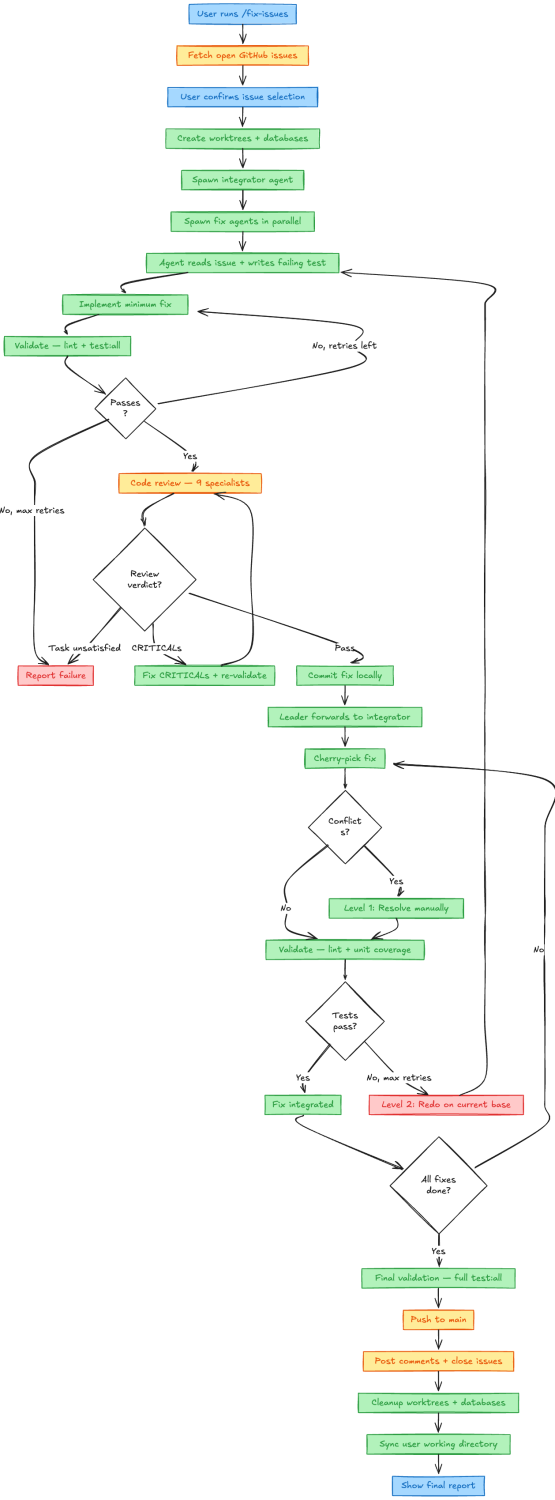
It's a skill that Claude created from my couple of sentences of problem statement. It took couple of iterations to get it right, but this is what it does:
- Fetch github issues, let's say it founds 32 issues. Asks confirmation what to fix.
- Sets up worktrees (directories in
/tmpfolder, copies over .env and installs dependencies). It does this 32 times for the workers and creates one extra for the integrator. 33 total. - Creates 33 empty databases for E2E tests, reuses local dev database instance.
- Creates the team, tasks and and spawns 33 worker employees. This uses the experimental built-in Agent Teams feature, which enables agents to communicate during running.
- Whenever agents finish their work, they let the main agent (team lead) know. Team lead will tell the integrator, who cherry-picks the git commits to its own branch and then runs full test suite to make sure it works, before continuing with the next cherry pick. Integrator also fixes all merge conflicts.
- After all work is done and final tests run, integrator pushes to main.
- Then main agent cleans up worktrees, deletes team, closes Github Issues and posts the final summary.
And it is interesting that main agent coordinates all task dependencies and when needed, launches tasks in waves to respect dependencies. I gave no instructions for this, it just comes free.
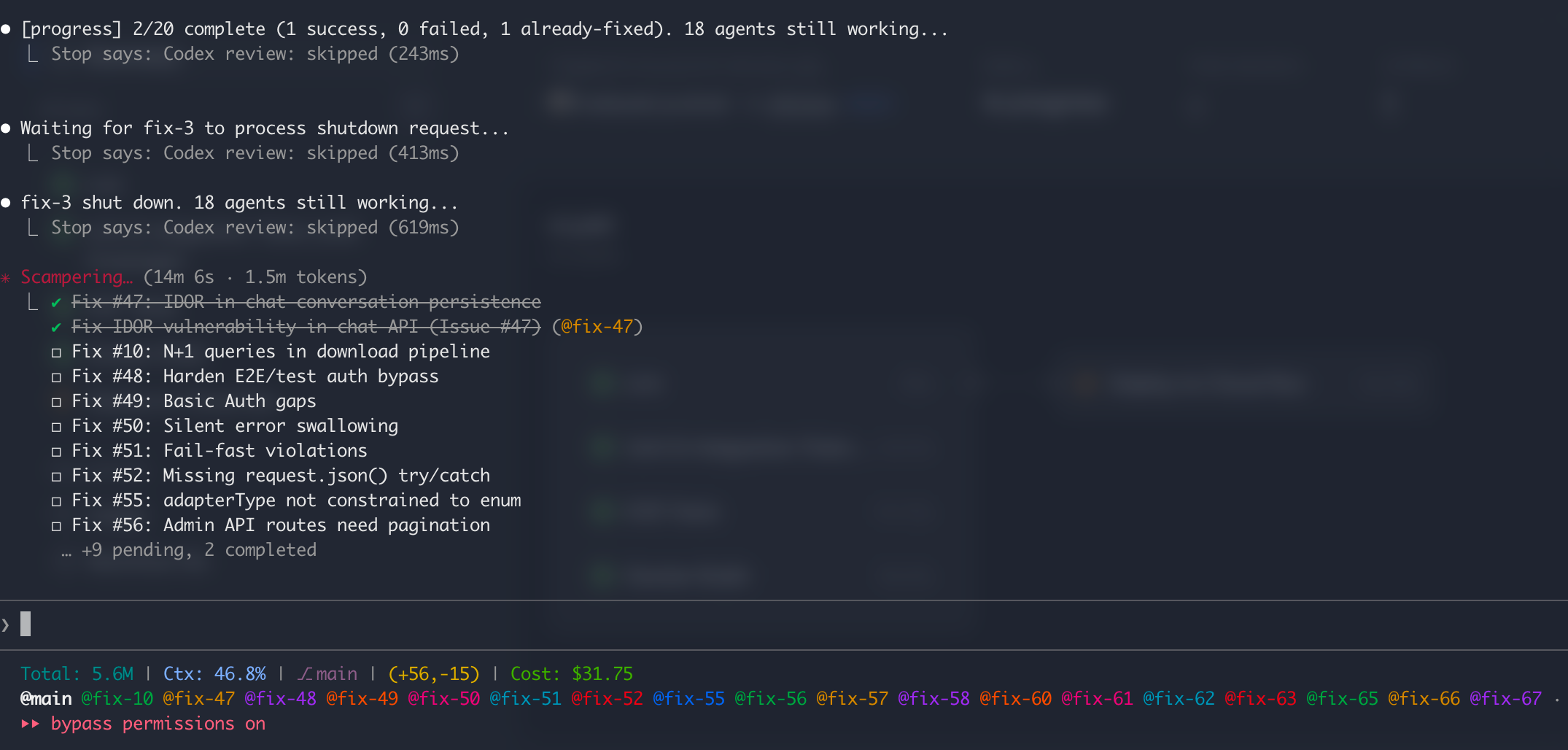
The Team UI in Claude Code is actually very sweet. This is the main agent view with the task list and in the bottom you can see all the worker agents doing their thing.
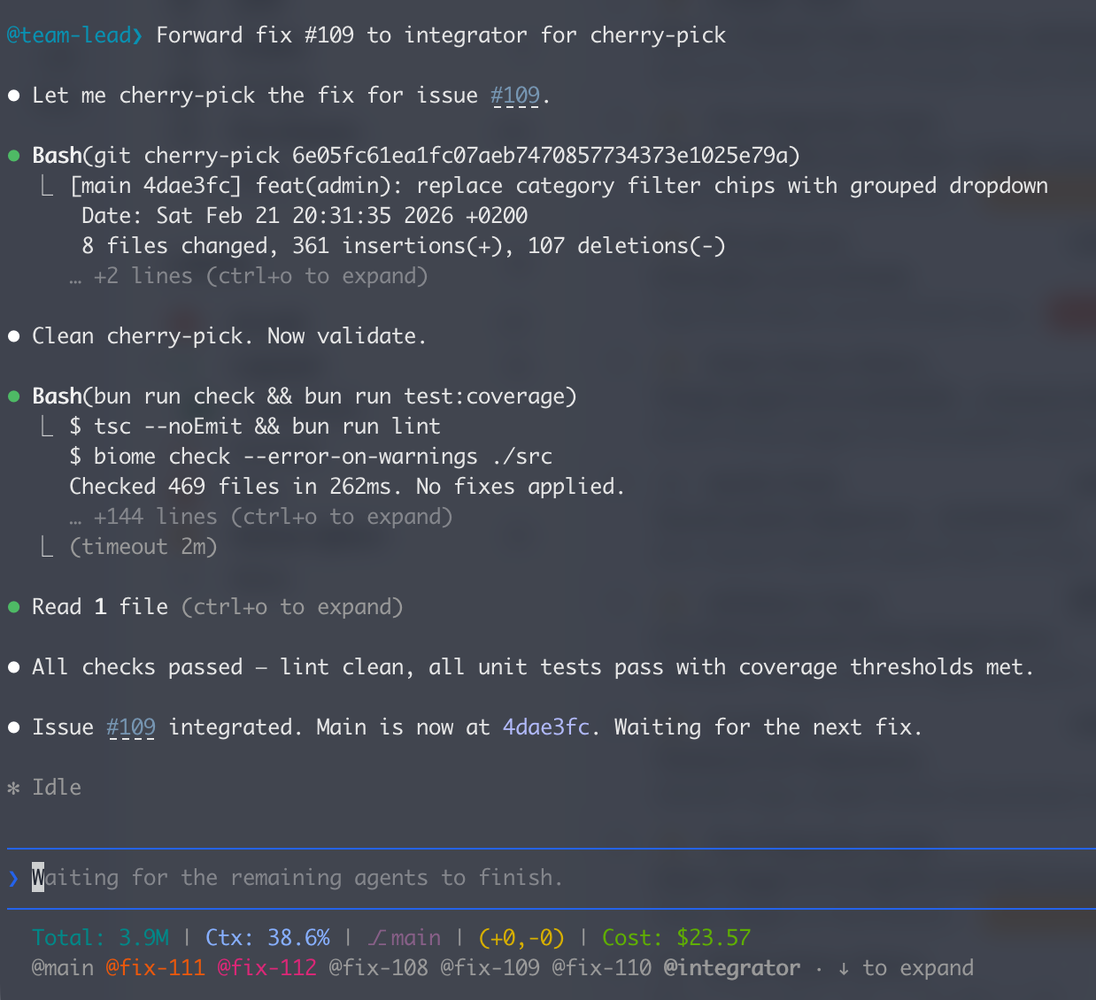
You can also navigate to a worker and switch the UI to this work. For example, this is what the integrator's life and thought process looks like.
Slop or quality code?
As we know this kind of process only has a probability of success.
Let's say probability of one agent's work being of high quality is 90%. Success is if you can use another agent to catch the remaining 10%. This brings success up to 99%. In my experience, that is usually higher than with humans.
Of course, you might say, in reality the probability of the above sentence being true is also variable and not 100%, so indeed, it's a bit more complicated. But this is the new reality - high output does not come free, it comes with higher safety measures and higher chance of problems.
So how to keep this probability high? Of course I rely on basic deterministic tools like:
- Code style, lint and formatting fixes on pre-commit
- Unit tests with coverage thresholds pre-push
- E2E tests that use the browser and Gauge to validate behaviour defined in actual specs (see this article)
But when it comes to testing for intent and higher level features, the most important principle is to separate any kind of review agent from the agent that did the work. The main tool for me here is automated code review. There's also method for keeping spec-drift low, and other on-demand analyses I occasionally run, but this is a topic for a future article.
Agentic code review
When each of the 32 workers finish their task, they run /code-review in their worktree. This spawns 9 parallel specialized agents (per each worktree) to review the diff of this worker. They specialize on stuff like:
- Task completion: did the code actually solve all requirements in the ticket?
- Code style: are we following all guidelines?
- Security: are there dangerous patterns and vulnerabilities?
- Fail fast: are we swallowing errors, using optional attributes where not needed etc?
And 4 more problem areas. The subagents doing the review start from blank slate, so are more eager to criticize the work of the worker. To keep the worker honest, it needs to post to the GitHub issue both: summary of findings and how they were addressed.
The Big Picture
This is the full visualization of the process (documented and drawn by my diagramming skill).
Summary
Why exactly 32 parallel tasks, you might ask? Honestly, I haven't been able to come up with more work in a single session. This batch of tasks contained both code review findings, problems with specs and large feature work, split into manageable topics (for one context window). It is obvious that the real bottleneck is now me, coming up with ideas and writing plans that have enough detail and thought put into it, so that the results will not be surprising.
All in all, this is not new. Gas Town (an open-source multi-agent orchestration tool) is doing similar things, but I chose not to use it because my approach relies on just 2 skill files rather than the extensive codebase and new terminology I need to become aware of. This is a pattern I sense more and more -- entry barrier for creating your own tools is so low now that it's harder and harder to justify time for exploring 3rd party tools.
The initial version of this workflow relied on Github Pull Requests, but I quickly ran through my CI/CD budget because of very frequent pushes.
In next steps, I'd like to explore moving back to pull requests, because they provide a better documentation medium for multi-agent discussion, code commentary and sequential work.
Also, I'd like to experiment with screenshots as "proof of visual work done". I think this would be an awesome data point to criticize in the pull request, for the review agent, and they should be easy to create from browser tests.
Until next time!
(this post was originally posted in LinkedIn)
